Frequently Asked Question
There is unexpected recording hole at the measurement
Last Updated 10 years ago
Check the "bad files folder" at the PQScada node.
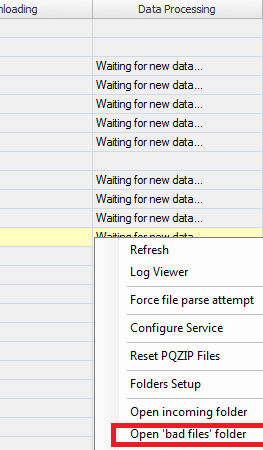
If there are one or more files at the "bad files folder", copy one of those files and paste it in the incoming folder of a new node.
If the file will be processed and will be available for investigation, the above issue was due to time overlapping between 2 or more files (for example, the user change the device time back).
you can repeat the above for all files if there are more bad files.
If the new node will not process the bad file, and will "throw" it again to the Bad files folder, please contact support.
If there are one or more files at the "bad files folder", copy one of those files and paste it in the incoming folder of a new node.
If the file will be processed and will be available for investigation, the above issue was due to time overlapping between 2 or more files (for example, the user change the device time back).
you can repeat the above for all files if there are more bad files.
If the new node will not process the bad file, and will "throw" it again to the Bad files folder, please contact support.